How to Download YouTube Music APK for Android (2026 Guide)
4.3 / 290
14 Mins
Admin
YouTube Music APK Download for Android (2026 Guide)
If you are looking for the YouTube Music APK download, you might find that the Google Play Store is not working for you, or the app is geo blocked in your region.
Whatever the reason, getting the official package file is now easier than ever. You can securely download the latest version directly via our verified download link below.
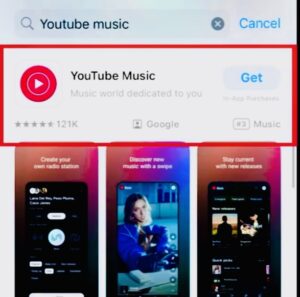
In this comprehensive 2026 guide, we cover exactly what YouTube Music Apk download offers, how to choose the correct APK variant, and how to complete the installation without running into common setup errors.
We will also address the hidden dangers of “Premium Unlocked” modded files and why you should avoid them.
What Is YouTube Music Apk Download?
YouTube Music Apk download is Google’s premier music streaming application designed to leverage the massive global video catalog of YouTube.
Unlike other streaming services, it offers access to official studio albums, live concert recordings, rare remixes, fan covers, and high-definition music videos in one unified space.
A standout feature is the seamless toggle switch, allowing users to shift between the pure audio track and the official music video with a single tap.
The application automatically tracks your listening habits to generate highly personalized daily mixes.
On Android devices, the official package name is com.google.android.apps.youtube.music.
Paying attention to this unique identifier on download pages is the fastest way to verify that you are downloading the genuine, untampered application file.
Free vs. Premium: What You Actually Get
Many users are unaware of how the platform divides its free and paid tiers.
While the baseline streaming experience is accessible to everyone for free with video and audio ads, advanced playback features require a paid subscription.
For instance, the platform offers an individual premium plan for around $11.99 per month in the USA, though subscription rates and free trial periods vary significantly depending on your geographical location.
With the free version of youtube music apk download, you get standard audio quality, but background playback is restricted, meaning your phone screen must remain on to keep the music playing.
Upgrading to the premium tier unlocks high-fidelity audio, a completely ad-free experience, background play while using other apps, and unlimited offline storage for downloads.
Installing a third-party APK file does not automatically bypass these tier restrictions.
Your premium status is tied directly to your server-side Google account profile, not the local application package you install.
Android System Requirements
Before initiating your download, ensure your device meets these baseline technical specifications.
You will need an operating system running Android 8.0 Oreo or newer, along with an active Google or Gmail account.
Additionally, your phone must have a minimum of 45 MB to 60 MB of free internal memory and a stable internet connection via Wi-Fi or mobile data for high-quality streaming.
How to Download the YouTube Music APK Download Safely
If your device supports the official ecosystem, your first choice should always be the Google Play Store.
If the app is restricted in your country, navigate to the dedicated Download APK button hosted on this webpage.
Select the specific file variant required for your hardware architecture, and save the file to your device’s internal storage directory.
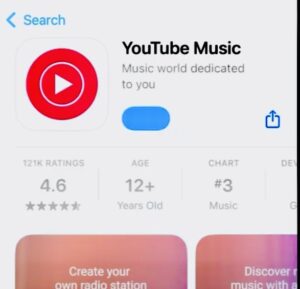
Avoid random, unverified streaming sites utilizing oversized flashing green download buttons or suspicious Pro tags.
These platforms frequently bundle harmful tracking scripts, malware, or adware inside their downloads. Stick to reputable mirrors like APK Basha to guarantee file integrity.
Which Architecture Variant Should You Pick?
When browsing the download directory on APK Basha, you will notice multiple version listings marked with distinct technical labels.
These represent specific builds compiled for different mobile processor architectures rather than different versions of the app itself.
The arm64-v8a build is the gold standard for modern smartphones.
If you own a Samsung Galaxy, Google Pixel, OnePlus, or Xiaomi device manufactured within the last several years, this is the correct file.
On the other hand, the armeabi-v7a variant is designed for legacy architectures or budget smartphones running older 32-bit processors.
While x86 and x86_64 builds are primarily compiled for Android emulators on PC or older Intel-powered tablets.
If you accidentally install the wrong processor variant, the package installer will display a parsing error or fail to open.
If you are uncertain about your chip architecture, download a free system utility tool like CPU-Z from the store to check your device specs instantly.
If you experience a signature mismatch error while upgrading an existing app, back up your data, completely uninstall the old version, and perform a fresh installation of the new file.
How to Install YouTube Music APK Download (Step-by-Step)
To manually install YouTube music Apk download on your device, first go to your phone settings, navigate to apps or special app access, and enable the install unknown apps permission for your mobile browser or file manager.
Once enabled, click the verified download link on APK Basha to download the file.
Next, open your device’s downloads folder using any standard file manager and tap on the downloaded file package of YouTube music Apk download to confirm.
After a few seconds, the application will be installed. Launch the newly installed app and sign in securely with your Google credentials to sync your custom playlists.
Why You Should Skip “Premium Unlocked” Mods
It can be tempting to click on websites promising a YouTube Music Premium Mod APK with unlocked paid features for free.
However, running modded versions carries significant privacy and security risks.
To sync playlists, you must enter your Google password into an unverified, third-party software environment, allowing malicious developers to easily harvest your logins via hidden key-loggers.
Furthermore, modded APK installers frequently act as Trojan horses, injecting ransomware or adware background processes into your operating system.
Utilizing modified clients also directly violates Google’s Terms of Service, which can result in a permanent ban of your entire Google account, wiping out access to Gmail, Drive, and Photos.
If you prefer not to pay for a subscription, stick to the official ad-supported version or explore verified open-source media interfaces.
Conclusion
The YouTube Music APK download is an excellent alternative for users facing marketplace restrictions or setup issues on Android. By downloading the specific variant that matches your smartphone’s processor from a trusted platform like APK Basha, you can completely bypass setup errors.
Disclaimer: YouTube Music is a registered trademark of Google LLC. APK Basha is an independent platform and is not officially affiliated with or endorsed by Google.
New Blog Posts
-
How to Download Poppy Playtime Chapter 4 APK Download for Android (2026 Guide)
-
How to Download R.E.P.O. Mobile APK Download for Android (2026 Latest Version)
-
How to Download Shizuku APK Download from here Latest Version (2026 Guide)
-
How to Download ReVanced Manager APK Latest Version (2026 Guide)
-
How to Download YouTube Music APK for Android (2026 Guide)
-
How to Download Seal Apk Latest Version 2026 Ads-Free
-
How to Download SmartTube Apk Latest Version 2026 Ads Free
-
How to Download Spotube APK free Latest Version 2026 (no ads)
-
How to Download LocalSend Apk Latest Version 2026 (ads free)
-
How to Download High 5 Casino Apk Later Version for Android 2026